Keyboard types explained: arrangers, controllers, pianos, synths, and workstations
Originally published on jonatascastro.com. English edition translated and revised 01 Oct 2026. Historical examples are identified in the text.
Choosing a keyboard is a little like choosing a car: several categories can look similar while serving different purposes. Over the years, I have tried arrangers, controllers, digital pianos, synthesizers, and workstations.
There is no single best category. Start with what you want to do: practice piano, play with a band, create sounds, compose arrangements, or use virtual instruments on a computer.
A quick comparison
| Category | Main purpose | What to check |
|---|---|---|
| Arranger | Play with automatic accompaniment | Styles, chord recognition, fills, and sound control |
| MIDI controller | Play or control another sound source | Key action, connections, pedals, and controls |
| Digital piano | Reproduce the playing experience of a piano | Weighted action, piano sound, pedals, and portability |
| Synthesizer | Create and perform with electronic sounds | Sound engine, editing, effects, and performance controls |
| Workstation | Combine sound creation, sequencing, and production | Recording workflow, routing, sound library, and polyphony |
These categories overlap. A digital piano can send MIDI; a synthesizer can have a sequencer; an arranger can include sophisticated editing features. Check the specific model rather than relying on its label.
Arranger keyboards
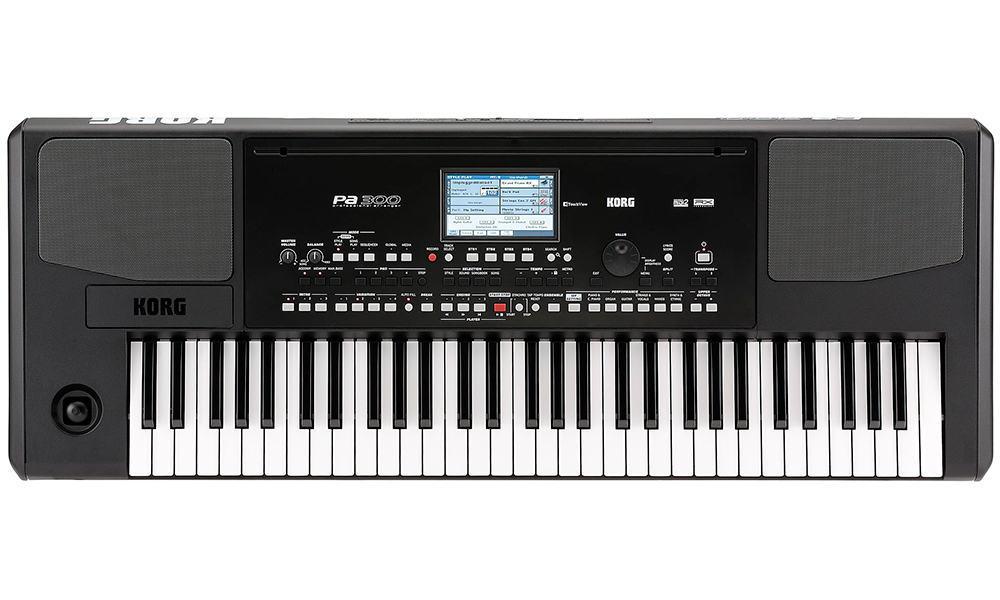
An arranger's defining feature is automatic accompaniment. Choose a style, play a chord, and the keyboard supplies a backing arrangement while you play a melody or another part.
Intro, Ending, and Fill controls help shape the performance. Some models let you create or import styles and sounds, while others offer a simpler fixed collection.
Arrangers range from basic learning instruments to advanced professional tools. Built-in speakers are common, but the category is not limited to inexpensive instruments.
For someone playing with a full band, automatic accompaniment may be less important than the sounds, output connections, and live controls. That was the concern behind my original advice about keyboards for church musicians.
Examples in the 2016 article: Casio CTK-240, Medeli M15, Yamaha PSR-F50, YPT-340, PSR-E453, PSR-S670, PSR-S770, PSR-S950, Korg Pa300, and Pa3X. These are historical examples, not a current buying shortlist.
MIDI controllers
A dedicated MIDI controller sends instructions to another sound source: a computer, a module, or another keyboard. Many controllers have no internal sound engine or audio output.
The important distinction is between MIDI, which describes the performance, and audio, which carries the resulting sound.
Compare:
- The number of keys and how they feel.
- Velocity sensitivity and, where relevant, aftertouch.
- Sustain and expression-pedal connections.
- Knobs, faders, pads, and transport controls you will actually use.
- USB and conventional MIDI connections.
- Compatibility with your intended sound source.
More controls are not automatically better. A comfortable keybed and dependable pedal response may matter more than a crowded panel.
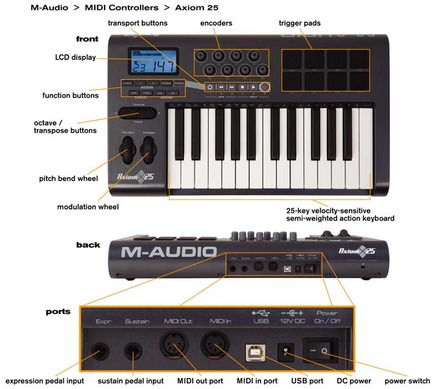
Historical examples: IK Multimedia iRig Keys 25, Akai LPK25 and Advance 49, Behringer UMX610, M-Audio Keystation 61 II, Novation Launchkey 61, Waldman Krypton 61, and Roland A-500PRO.
Read MIDI explained and the live-performance setup guide for connection examples.
Digital pianos
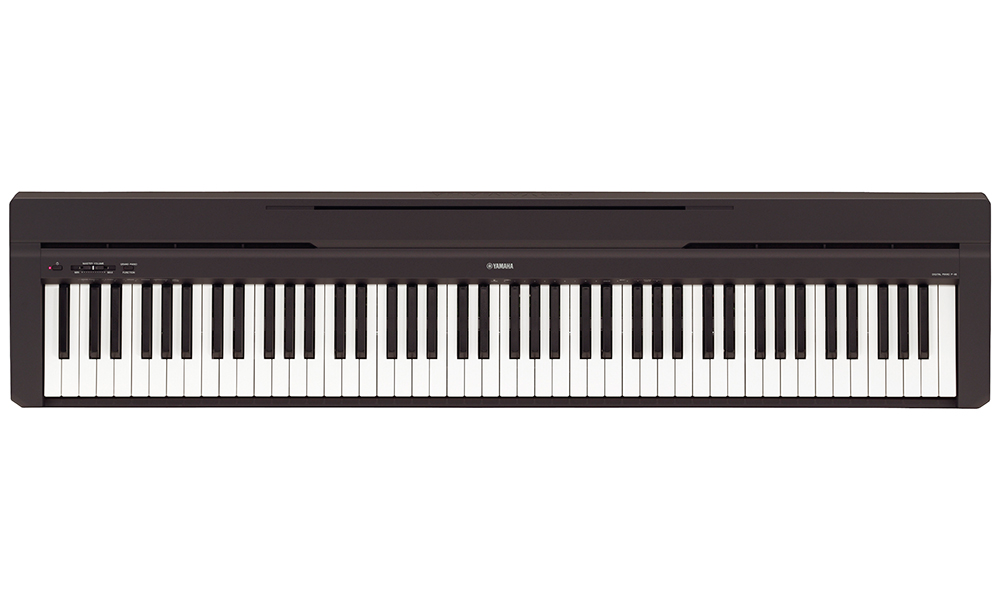
A digital piano focuses on piano playing: the sound, touch response, weighted action, and pedal behavior. It does not require acoustic-piano tuning, though speakers or an external sound system may still be needed.
Two broad formats are common:
- Home or cabinet pianos: designed to stay in one place, often with an integrated stand and speakers.
- Portable or stage pianos: designed for easier transport and connection to other equipment. Speaker availability varies by model.
Try the action if possible. A specification saying “weighted keys” does not fully describe how the instrument feels to play.
MIDI or USB can let a digital piano control virtual instruments as well as its internal sounds.
Historical examples: Casio CDP-120 and Privia PX-860, Yamaha P-45, P-115, Clavinova CVP-601 and CLP-565GP, Fenix SP20, Korg SP-280, Kurzweil MPS-10, and Roland LX-7.
Synthesizers
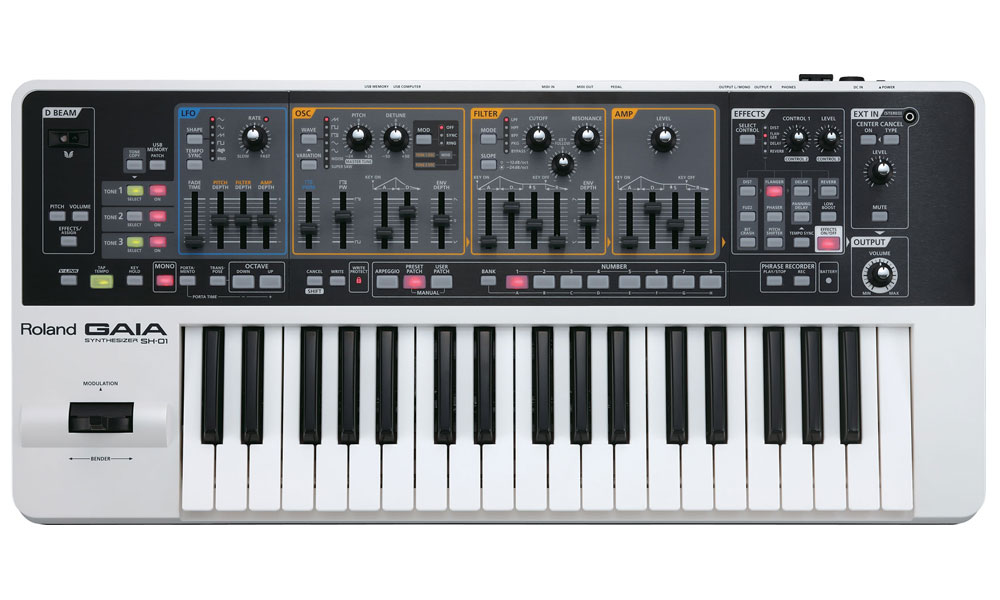
A synthesizer gives you ways to create or shape sound. Its engine might use samples, analog circuitry, digital oscillators, or another synthesis method.
The original article focused heavily on sample-based keyboards. That is one approach, rather than a definition of every synthesizer.
Common editing controls include:
- Oscillators or sample sources.
- Filters that change the tonal balance.
- Envelopes that shape a sound over time.
- Low-frequency oscillators for repeating modulation.
- Effects such as delay, chorus, and reverb.
An ADSR envelope has Attack, Decay, Sustain, and Release stages. Those controls can make a sound feel percussive, sustained, or slow to fade in.
Check whether you can store user patches and combine sounds in a performance mode. See five ways to layer keyboard sounds.
Historical examples from the original gallery: Korg microKORG, Casio XW-P1, Roland XPS-10, SH-01 Gaia, Juno-Di, XPS-30 and V-Combo VR-09, Yamaha MX61, Kurzweil SPS4-8, and Nord Electro 3, Electro 5 HP, and Stage 2. The Nord examples show how performance keyboards can cross category boundaries.
Workstations
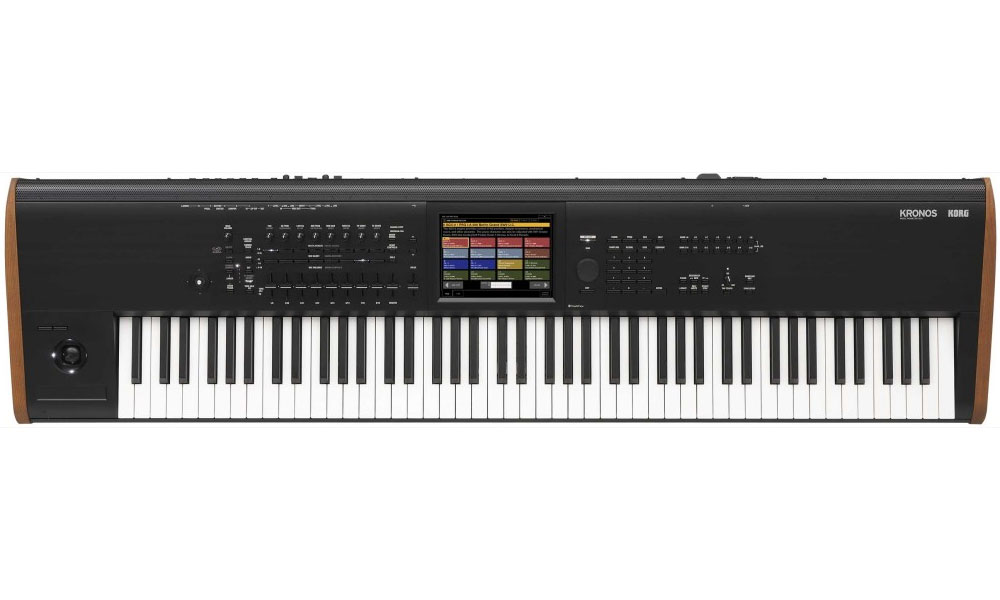
A workstation combines a sound engine with tools for arranging or producing music. Depending on the instrument, that can include a sequencer, sampling, audio recording, arpeggiators, effects, and several output or input options.
Check the workflow rather than assuming every workstation records audio or imports samples in the same way. Consider how you save projects, change sounds, route parts, and move material to a computer.
Polyphony is especially important when using layers and long releases. A quoted voice count is not always the number of notes you can hold with every patch.
Historical examples: Korg Kross, Krome, and Kronos 2; Roland FA-06; Yamaha Motif XF7 and Montage 6. These instruments have different feature sets despite appearing together in the original gallery.
Decide from the job you need to do
Make a short list of required features before comparing models. Include the key action, sounds, layering, pedal support, outputs, portability, and whether you want to depend on a computer.
The Portuguese archive retains the original 2016–2017 product gallery. Prices, rankings, and availability from that period should not be treated as current purchasing advice.